
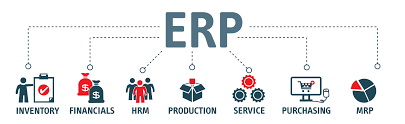
Enterprise Resource Planning (ERP) software helps businesses manage finance, inventory, sales, purchasing, operations, human resources, reporting, and supply chain processes from one centralized system.
For growing companies, the right ERP can reduce manual work, improve visibility, prevent data silos, and support better decision-making.
In this guide, we compare the best ERP software tools in 2026 based on features, pricing, scalability, and ideal business use cases.
What Is ERP Software?
ERP software is a business management platform that connects multiple departments into one integrated system.
Best Email Marketing Platforms for High ROI CampaignsA modern ERP system can manage:
- Accounting and finance
- Inventory management
- Procurement
- Sales orders
- Customer data
- Manufacturing
- Warehouse operations
- Human resources
- Reporting and analytics
- Compliance documentation
Instead of using separate tools for each department, ERP software creates a single source of truth for the entire business.
Why Businesses Need ERP Software in 2026
As businesses grow, spreadsheets and disconnected software systems become inefficient.
Common problems include:
Managed IT Services vs In-House IT: Cost Comparison for Businesses (2026 Guide)- Duplicate data entry
- Poor inventory visibility
- Delayed financial reporting
- Manual approval workflows
- Inaccurate forecasting
- Weak operational control
- Limited scalability
ERP software helps businesses:
- Automate repetitive tasks
- Improve financial accuracy
- Track inventory in real time
- Standardize business processes
- Improve reporting
- Scale operations more efficiently
For many companies, ERP becomes essential once manual processes start limiting growth.
Best ERP Software Tools in 2026
1. Oracle NetSuite
Best Overall Cloud ERP
Oracle NetSuite is one of the most widely used cloud ERP platforms for growing and mid-sized businesses.
Key Features
- Financial management
- Inventory management
- Order management
- Procurement
- CRM capabilities
- E-commerce support
- Revenue recognition
- Multi-entity management
- Advanced reporting
Pros
- Fully cloud-based ERP
- Strong financial features
- Excellent scalability
- Good for multi-location businesses
- Broad industry support
Cons
- Implementation can be expensive
- Pricing is not fully transparent
- Requires expert configuration
Pricing
NetSuite pricing is usually customized based on company size, selected modules, users, and implementation needs. Third-party ERP pricing analyses commonly estimate base platform pricing around $999/month plus user licenses, although final costs vary significantly.
Best VoIP Phone Systems for Small Businesses and Remote Teams (2026 Guide)Best For
Growing companies that need a scalable cloud ERP with strong financial management.
2. Microsoft Dynamics 365 Business Central
Best ERP for Microsoft Users
Microsoft Dynamics 365 Business Central is a strong ERP option for small and mid-sized businesses already using Microsoft 365, Outlook, Excel, Power BI, and Teams.
Key Features
- Financial management
- Sales and purchasing
- Inventory control
- Project management
- Warehouse management
- Reporting and analytics
- Microsoft 365 integration
- Copilot AI features
Pros
- Excellent Microsoft ecosystem integration
- Familiar interface
- Strong reporting tools
- Scalable for SMBs
- Transparent pricing
Cons
- Some advanced features require add-ons
- Customization may require a Microsoft partner
Pricing
Microsoft lists Dynamics 365 Business Central Essentials at $80 per user/month in the U.S.; pricing can vary by market and plan.
Best For
Small and mid-sized businesses already invested in Microsoft tools.
Cybersecurity Risk Assessment: How Much Does It Cost in 2026?3. SAP Business One
Best ERP for Established SMBs
SAP Business One is designed for small and mid-sized businesses that need stronger operational and financial control.
Key Features
- Accounting and financial management
- Purchasing and procurement
- Inventory management
- Sales and customer management
- Production planning
- Business intelligence
- SAP HANA integration
Pros
- Strong brand reputation
- Good for manufacturing and distribution
- Robust financial tools
- Real-time reporting
Cons
- Implementation can be complex
- User experience may feel less modern
- Costs depend heavily on partner and deployment model
Pricing
SAP does not publish simple universal pricing for Business One on its main product page; implementation and licensing usually depend on region, deployment, user type, and partner. SAP positions Business One as ERP software for small businesses that need integrated business intelligence, SAP HANA integration, and scalable operations.
Best For
Established small and mid-sized businesses in manufacturing, wholesale, and distribution.
4. Odoo
Best Flexible and Affordable ERP
Odoo is a modular ERP platform that allows businesses to start with specific applications and add more features over time.
Key Features
- Accounting
- CRM
- Inventory
- Sales
- Purchase management
- Manufacturing
- Project management
- HR
- Website and e-commerce
- Point of sale
Pros
- Modular structure
- Affordable compared with many ERP systems
- Large app ecosystem
- Strong customization potential
- Good for startups and growing businesses
Cons
- Implementation quality depends on configuration
- Customization can add complexity
- Some advanced needs require technical support
Pricing
Odoo publishes pricing plans directly on its website and states that its plans include hosting, maintenance, and support, with no feature or data limits on paid plans.
Best For
Businesses that want a flexible ERP system with lower entry costs.
5. Acumatica
Best ERP for Growing Mid-Market Companies
Acumatica is a cloud ERP platform known for flexible deployment and industry-specific editions.
Key Features
- Financial management
- Distribution management
- Manufacturing management
- Construction management
- CRM
- Project accounting
- Inventory management
- Reporting dashboards
Pros
- Strong cloud ERP capabilities
- Industry-specific editions
- Flexible licensing model
- Good scalability
- Modern interface
Cons
- Pricing requires consultation
- Implementation partner quality matters
Pricing
Acumatica pricing is typically customized based on applications, transaction volume, resources, and deployment requirements.
Best For
Growing companies that need industry-specific ERP capabilities.
6. Epicor Kinetic
Best ERP for Manufacturing
Epicor Kinetic is built primarily for manufacturers and industrial businesses.
Key Features
- Manufacturing execution
- Production planning
- Supply chain management
- Quality management
- Inventory control
- Financial management
- Advanced analytics
- Shop floor automation
Pros
- Excellent manufacturing features
- Strong production planning tools
- Industry-specific functionality
- Good for complex operations
Cons
- Less suitable for non-manufacturing businesses
- Implementation can be demanding
Pricing
Epicor usually provides custom pricing based on company size, modules, users, and implementation scope.
Best For
Manufacturers that need deep production, inventory, and supply chain control.
ERP Software Pricing Comparison
| ERP Software | Pricing Model | Best For |
|---|---|---|
| Oracle NetSuite | Custom subscription | Scalable cloud ERP |
| Microsoft Dynamics 365 Business Central | From $80/user/month | Microsoft-based SMBs |
| SAP Business One | Custom / partner-based | Established SMBs |
| Odoo | Published plans | Flexible affordable ERP |
| Acumatica | Custom pricing | Mid-market growth |
| Epicor Kinetic | Custom pricing | Manufacturing |
Key ERP Features to Compare
Financial Management
A strong ERP should include:
- General ledger
- Accounts payable
- Accounts receivable
- Budgeting
- Cash flow tracking
- Financial reporting
- Tax management
Finance is usually the core of any ERP system.
Inventory Management
Inventory features are essential for retailers, wholesalers, manufacturers, and distributors.
Look for:
- Real-time stock tracking
- Warehouse management
- Purchase order automation
- Demand forecasting
- Barcode scanning
- Multi-location inventory
Reporting and Analytics
ERP systems should help leaders make faster decisions.
Important reporting features include:
- Custom dashboards
- Profitability reports
- Sales trends
- Inventory reports
- Cash flow analytics
- Forecasting tools
Automation
ERP automation reduces manual work.
Common automations include:
- Invoice approvals
- Purchase order workflows
- Stock replenishment
- Sales order processing
- Financial reconciliation
Scalability
The best ERP should support growth without requiring a full system replacement.
Consider:
- Number of users
- Multi-location support
- International operations
- Add-on modules
- API integrations
Cloud ERP vs On-Premise ERP
Cloud ERP
Cloud ERP is hosted by the vendor and accessed online.
Advantages
- Lower upfront infrastructure costs
- Faster deployment
- Automatic updates
- Remote access
- Easier scalability
Disadvantages
- Ongoing subscription fees
- Less control over infrastructure
- Internet dependency
On-Premise ERP
On-premise ERP is installed on company-owned servers.
Advantages
- Greater infrastructure control
- More customization options
- Can suit strict internal IT policies
Disadvantages
- Higher upfront costs
- Requires internal IT maintenance
- Slower upgrades
For most small and mid-sized businesses in 2026, cloud ERP is the more practical choice.
How to Choose the Best ERP Software
Before choosing an ERP, consider:
Business Size
Small businesses may prefer Odoo or Business Central.
Mid-sized businesses may benefit from NetSuite, Acumatica, or SAP Business One.
Manufacturers may need Epicor or SAP.
Industry Requirements
Different industries need different ERP features.
For example:
- Manufacturing needs production planning
- Retail needs inventory and POS
- Professional services need project accounting
- Distribution needs warehouse management
Implementation Cost
ERP pricing is not only software licensing.
You should also budget for:
- Data migration
- Training
- Customization
- Integrations
- Consulting
- Ongoing support
Ease of Use
A powerful ERP is not useful if employees avoid using it.
Look for:
- Clean dashboards
- Simple workflows
- Mobile access
- Good documentation
- Reliable support
Integration Needs
Your ERP should connect with existing tools such as:
- CRM software
- E-commerce platforms
- Payroll systems
- Payment processors
- Business intelligence tools
- Shipping software
Which ERP Is Best for Your Business?
Choose Oracle NetSuite if you want a scalable cloud ERP for growth.
Choose Microsoft Dynamics 365 Business Central if your business already uses Microsoft tools.
Choose SAP Business One if you need a proven ERP for established SMB operations.
Choose Odoo if you want flexibility and lower starting costs.
Choose Acumatica if you need a modern cloud ERP for mid-market growth.
Choose Epicor Kinetic if manufacturing is your core business.
Final Thoughts
ERP software can transform how a business operates. The right platform centralizes data, improves financial control, automates workflows, and gives leaders better visibility across the organization.
In 2026, the best ERP software depends on business size, industry, budget, and growth plans. Oracle NetSuite is one of the strongest overall choices for scalable cloud ERP, while Microsoft Dynamics 365 Business Central is ideal for businesses already using Microsoft products. SAP Business One remains a proven option for established SMBs, Odoo offers flexibility and affordability, Acumatica suits growing mid-market companies, and Epicor Kinetic is especially strong for manufacturing.
Before investing, compare total cost of ownership, implementation complexity, integrations, support quality, and long-term scalability. A well-chosen ERP system can become the operational foundation that supports business growth for years.