
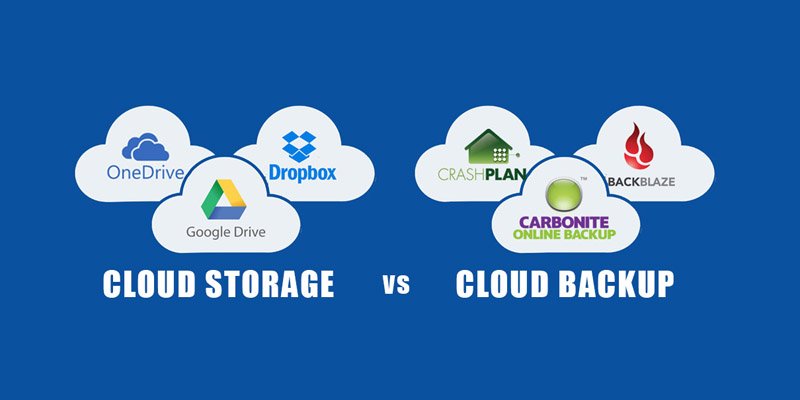
Data has become one of the most valuable assets for modern businesses. Whether it’s customer information, financial records, intellectual property, or operational data, losing critical files can lead to severe financial losses, legal issues, and reputational damage.
Cyberattacks, ransomware incidents, hardware failures, accidental deletions, and natural disasters continue to threaten organizations of all sizes. As a result, cloud backup solutions have become a fundamental part of every business continuity and disaster recovery strategy.
In this comprehensive guide, we’ll compare the best cloud backup solutions for businesses in 2026, explore their pricing models, security features, and help you choose the right backup provider for your organization.
What Is Cloud Backup?
Cloud backup is the process of automatically storing copies of business data on secure remote servers managed by a third-party provider.
ERP Software Comparison: Best Enterprise Resource Planning Tools in 2026Instead of relying solely on local storage devices such as hard drives or on-premises servers, cloud backup ensures data remains accessible even if local systems fail.
A cloud backup solution typically protects:
- Business documents
- Databases
- Emails
- Virtual machines
- Servers
- Workstations
- Cloud applications
- Customer records
- Financial data
Cloud backups provide redundancy, scalability, and faster disaster recovery compared to traditional backup methods.
Why Businesses Need Cloud Backup in 2026
Data loss can occur for many reasons.
Best Email Marketing Platforms for High ROI CampaignsCommon causes include:
- Ransomware attacks
- Hardware failures
- Employee mistakes
- Insider threats
- Natural disasters
- Software corruption
- Theft or device loss
According to industry research, many businesses that suffer major data loss experience significant operational disruptions and financial damage.
Cloud backup helps organizations:
- Minimize downtime
- Improve disaster recovery
- Protect against ransomware
- Meet compliance requirements
- Reduce infrastructure costs
- Ensure business continuity
For most businesses, cloud backup is now considered essential rather than optional.
Managed IT Services vs In-House IT: Cost Comparison for Businesses (2026 Guide)Best Cloud Backup Solutions for Businesses in 2026
1. Acronis Cyber Protect
Best Overall Business Backup Solution
Acronis combines cloud backup, cybersecurity, disaster recovery, and endpoint protection into a single platform.
Key Features
- Full image backup
- Ransomware protection
- Disaster recovery
- Endpoint security
- AI-based threat detection
- Hybrid cloud support
- Microsoft 365 backup
Pros
- Comprehensive protection platform
- Strong cybersecurity integration
- Fast recovery options
- Excellent management tools
Cons
- Advanced features can increase costs
- Initial setup may require expertise
Pricing
Typically starts around:
- $85–$120 per workload annually
Best For
Businesses seeking both backup and cybersecurity protection.
2. Backblaze Business Backup
Best Budget-Friendly Backup Solution
Backblaze is known for its simple pricing model and unlimited cloud storage.
Best VoIP Phone Systems for Small Businesses and Remote Teams (2026 Guide)Key Features
- Unlimited backup storage
- Automatic backups
- Ransomware recovery options
- Version history
- Endpoint backup
- Easy deployment
Pros
- Affordable pricing
- Simple setup process
- Unlimited storage
- Excellent user experience
Cons
- Fewer enterprise features
- Limited advanced administration tools
Pricing
Typically:
- Around $9–$12 per device/month
Best For
Small businesses seeking affordable cloud backup.
3. Carbonite Safe
Best for Small Businesses
Carbonite remains a popular choice for SMBs due to its simplicity and reliability.
Key Features
- Automatic cloud backup
- File versioning
- Remote file access
- Server backup options
- Data restoration tools
- Continuous backup
Pros
- Easy to use
- Good customer support
- Reliable backup performance
- Flexible plans
Cons
- Storage limits on some plans
- Advanced features require higher tiers
Pricing
Typically:
- $6–$15 per device/month
Best For
Small businesses and professional services firms.
4. Druva Data Resiliency Cloud
Best Enterprise Cloud Backup Platform
Druva offers a fully cloud-native backup and disaster recovery solution.
Key Features
- SaaS application backup
- Endpoint protection
- Server backup
- Disaster recovery
- Ransomware detection
- Centralized management
Pros
- Cloud-native architecture
- Strong compliance capabilities
- Excellent scalability
- Advanced security controls
Cons
- Premium pricing
- More suitable for larger organizations
Pricing
Custom enterprise pricing.
Best For
Medium-sized and enterprise organizations.
5. Microsoft Azure Backup
Best for Microsoft Environments
Businesses already invested in Microsoft ecosystems often benefit from Azure Backup.
Key Features
- Azure-native backup
- Virtual machine protection
- SQL Server backup
- Hybrid cloud support
- Long-term retention
- Disaster recovery integration
Pros
- Excellent Microsoft integration
- Flexible storage options
- Enterprise-grade reliability
- Strong compliance support
Cons
- Pricing can become complex
- Requires Azure familiarity
Pricing
Pay-as-you-go model based on:
- Storage usage
- Protected workloads
- Recovery requirements
Best For
Organizations heavily using Microsoft services.
6. Veeam Backup & Replication
Best for Virtual Environments
Veeam has become a leader in backup and recovery for virtualized infrastructures.
Key Features
- Virtual machine backup
- Instant recovery
- Cloud integration
- Ransomware protection
- Backup verification
- Disaster recovery orchestration
Pros
- Industry-leading virtualization support
- Fast recovery times
- Highly scalable
- Extensive integrations
Cons
- More complex administration
- Higher learning curve
Pricing
Custom pricing depending on workloads.
Best For
Businesses running VMware or Hyper-V environments.
Essential Cloud Backup Features
When evaluating providers, focus on the features that directly impact business resilience.
Automated Backups
Manual backups are prone to human error.
Automated backup scheduling ensures data protection without requiring employee intervention.
Look for:
- Continuous backup
- Incremental backups
- Scheduled backups
- Policy-based automation
Ransomware Protection
Ransomware remains one of the biggest threats facing businesses.
Modern backup platforms should include:
- Immutable backups
- Malware scanning
- Backup integrity verification
- Rapid recovery capabilities
These features help organizations recover without paying ransom demands.
Disaster Recovery
Backup alone is not enough.
Businesses also need disaster recovery capabilities that allow systems to be restored quickly.
Important features include:
- Full system recovery
- Bare-metal recovery
- Virtual machine recovery
- Recovery testing
Data Encryption
Security should be a top priority.
Look for:
Encryption in Transit
Protects data during upload and download.
Encryption at Rest
Protects stored backups from unauthorized access.
Most enterprise-grade providers use:
- AES-256 encryption
- TLS-secured transfers
File Versioning
Versioning allows businesses to recover older versions of files.
Benefits include:
- Protection against accidental deletion
- Recovery from ransomware encryption
- Historical data restoration
Many providers offer version retention periods ranging from weeks to years.
Cloud Backup Security Considerations
Businesses should carefully evaluate security features before selecting a provider.
Multi-Factor Authentication (MFA)
MFA significantly reduces unauthorized access risks.
Recommended for:
- Administrator accounts
- Backup portals
- Recovery operations
Access Controls
Role-based access control (RBAC) allows organizations to restrict access to sensitive backup systems.
Benefits include:
- Reduced insider threats
- Improved compliance
- Better auditability
Compliance Certifications
Depending on your industry, look for providers that support:
- SOC 2
- ISO 27001
- HIPAA
- GDPR
- PCI DSS
Compliance certifications demonstrate mature security practices.
Immutable Storage
Immutable backups cannot be altered or deleted for a specified period.
This has become one of the most effective defenses against ransomware attacks.
Many modern providers now offer immutable backup options.
Cloud Backup Pricing Comparison
| Provider | Starting Price | Best For |
|---|---|---|
| Acronis Cyber Protect | $85–$120/workload/year | Overall protection |
| Backblaze Business | $9–$12/device/month | Budget-friendly backups |
| Carbonite Safe | $6–$15/device/month | Small businesses |
| Druva | Custom | Enterprise environments |
| Azure Backup | Usage-based | Microsoft users |
| Veeam | Custom | Virtualized infrastructures |
How Much Cloud Storage Does a Business Need?
Storage requirements vary significantly.
Small Business (1–20 Employees)
Typically:
- 500 GB to 5 TB
Medium Business (20–100 Employees)
Typically:
- 5 TB to 50 TB
Large Organizations
Typically:
- 50 TB to hundreds of terabytes
Factors affecting storage needs include:
- Number of users
- Data retention policies
- Regulatory requirements
- Backup frequency
- Multimedia file usage
How to Choose the Right Cloud Backup Solution
Before making a decision, consider:
Business Size
Choose a platform designed for your organization’s scale.
Recovery Objectives
Evaluate:
- Recovery Time Objective (RTO)
- Recovery Point Objective (RPO)
Budget
Balance cost against protection levels and recovery capabilities.
Security Requirements
Prioritize providers with:
- MFA
- Encryption
- Immutable backups
- Compliance certifications
Existing Infrastructure
Solutions that integrate with your current systems often reduce complexity and costs.
Final Thoughts
Cloud backup has become a critical component of business resilience in 2026. With ransomware attacks, hardware failures, and data breaches continuing to rise, organizations need reliable backup solutions that provide strong security, fast recovery, and scalable storage.
For most businesses, Acronis Cyber Protect offers the best overall combination of backup, cybersecurity, and disaster recovery capabilities. Backblaze Business remains an excellent choice for companies seeking affordable unlimited storage, while Carbonite Safe provides simplicity for small businesses. Larger organizations may benefit from enterprise-grade solutions such as Druva, Azure Backup, or Veeam.
The right cloud backup solution not only protects your data but also ensures your business can continue operating when unexpected incidents occur. Investing in a secure, automated, and scalable backup strategy today can save your organization from significant financial and operational losses tomorrow.