
Technology has become the backbone of modern business operations. From cybersecurity and cloud infrastructure to employee support and business continuity, organizations depend heavily on reliable IT systems to remain competitive.
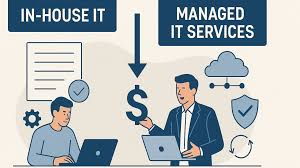
One of the biggest decisions business owners face is whether to build an in-house IT department or outsource technology management to a Managed IT Services Provider (MSP).
Both approaches have advantages and disadvantages, but cost is often the deciding factor.
In this guide, we’ll compare Managed IT Services vs In-House IT, analyze the true costs of each model, and help you determine which option offers the best value for your business in 2026.
Best VoIP Phone Systems for Small Businesses and Remote Teams (2026 Guide)What Are Managed IT Services?
Managed IT Services involve outsourcing IT management and support to a third-party provider.
Instead of hiring a full internal IT team, businesses pay a monthly fee for technology services.
Typical managed IT services include:
- Help desk support
- Network monitoring
- Cybersecurity management
- Cloud administration
- Data backup and disaster recovery
- Microsoft 365 management
- Endpoint security
- Patch management
- Infrastructure monitoring
- Strategic IT consulting
Most MSPs operate under a predictable monthly subscription model.
Cybersecurity Risk Assessment: How Much Does It Cost in 2026?What Is In-House IT?
An in-house IT department consists of employees hired directly by the company.
Depending on company size, this may include:
- IT Manager
- System Administrator
- Network Engineer
- Security Analyst
- Help Desk Technician
- Cloud Engineer
- CIO or IT Director
Internal teams maintain complete control over technology operations and work exclusively for the organization.
Why Businesses Are Re-Evaluating IT Costs in 2026
Several factors are increasing IT expenses:
Best Business Internet Providers: Speed, Reliability, and Pricing Compared (2026 Guide)- Rising cybersecurity threats
- Cloud migration projects
- Hybrid work environments
- Compliance requirements
- Growing software complexity
- AI implementation initiatives
As a result, many organizations are reconsidering whether maintaining a large internal IT team remains the most cost-effective approach.
Managed IT Services Cost Breakdown
Managed Service Providers typically charge using one of three models:
Per User Pricing
Most common for small and medium businesses.
Typical pricing:
How to Choose the Right Cloud Computing Provider for Your Business (2026 Guide)- $100–$250 per user/month
Example:
A company with 25 employees may spend:
- $2,500–$6,250 per month
- $30,000–$75,000 annually
Per Device Pricing
Based on the number of managed devices.
Typical pricing:
- $50–$200 per device/month
This model is often used for businesses with shared workstations.
Flat-Rate Managed Services
Some MSPs offer all-inclusive agreements.
These often include:
- Help desk support
- Monitoring
- Security management
- Cloud administration
- Backup services
Typical cost:
- $2,000–$15,000+ per month
Depending on company size and complexity.
In-House IT Cost Breakdown
Many businesses underestimate the actual cost of maintaining internal IT staff.
Salary is only one part of the equation.
Help Desk Technician
Average annual cost:
- $45,000–$75,000
With benefits and taxes:
- $60,000–$95,000
Systems Administrator
Average annual cost:
- $70,000–$120,000
Fully loaded cost:
- $90,000–$150,000
Network Engineer
Average annual cost:
- $85,000–$140,000
Fully loaded cost:
- $110,000–$180,000
Cybersecurity Specialist
Average annual cost:
- $90,000–$170,000
Fully loaded cost:
- $120,000–$220,000
IT Manager
Average annual cost:
- $100,000–$180,000
Fully loaded cost:
- $130,000–$250,000
Hidden Costs of In-House IT
Many organizations focus only on salaries while ignoring additional expenses.
These include:
Employee Benefits
Typically add:
- 20%–40% of salary
Including:
- Health insurance
- Retirement contributions
- Paid leave
- Payroll taxes
Recruiting Costs
Hiring technical talent is expensive.
Recruitment expenses often include:
- Job advertisements
- Recruiter fees
- Interview time
- Background checks
- Onboarding costs
One IT hire can cost thousands of dollars before becoming productive.
Training and Certifications
Technology changes rapidly.
Organizations often pay for:
- Microsoft certifications
- Cisco certifications
- Security training
- Industry conferences
Annual training budgets can be substantial.
IT Management Tools
Internal teams require software such as:
- Remote monitoring tools
- Endpoint protection
- Backup platforms
- Ticketing systems
- Documentation software
These costs continue regardless of staffing levels.
Managed IT Services vs In-House IT: Cost Comparison
Small Business Example (20 Employees)
Managed IT Services
Monthly cost:
- $2,500–$5,000
Annual cost:
- $30,000–$60,000
In-House IT
One Systems Administrator:
- $90,000–$150,000 annually
Additional software and training:
- $10,000–$30,000 annually
Total:
- $100,000–$180,000+
Winner
Managed IT Services
Small businesses usually save significantly by outsourcing.
Medium Business Example (100 Employees)
Managed IT Services
Annual cost:
- $120,000–$300,000
In-House IT
Potential team:
- IT Manager
- Systems Administrator
- Help Desk Technician
Total annual cost:
- $300,000–$600,000+
Winner
Managed IT Services often remain more cost-effective.
Large Business Example (500+ Employees)
Managed IT Services
Annual cost:
- $500,000–$1.5 million+
In-House IT
Full IT department:
- Multiple administrators
- Security staff
- Engineers
- Management
Annual cost:
- $1 million–$3 million+
Winner
Depends on complexity and industry requirements.
Large enterprises often adopt hybrid models.
Advantages of Managed IT Services
Predictable Monthly Costs
Businesses know exactly what they will spend each month.
This improves budgeting and financial planning.
Access to Specialized Expertise
MSPs often provide access to:
- Security specialists
- Cloud architects
- Network engineers
- Compliance experts
Hiring this expertise internally can be expensive.
Better Cybersecurity Coverage
Many MSPs offer:
- 24/7 monitoring
- Threat detection
- Vulnerability management
- Security awareness training
- Incident response
These services would be costly to build internally.
Scalability
As businesses grow, MSPs can quickly scale support.
No recruiting or lengthy hiring process is required.
Reduced Downtime
Proactive monitoring helps identify issues before they affect business operations.
Advantages of In-House IT
Greater Control
Internal teams work exclusively for your business.
This often results in:
- Faster decision-making
- Better alignment with company goals
- More customized solutions
Deep Business Knowledge
Internal staff understand:
- Company processes
- Internal systems
- Employee workflows
- Organizational priorities
This knowledge can improve service quality.
Immediate Availability
On-site teams can often resolve physical infrastructure issues more quickly.
Stronger Integration with Leadership
Internal IT departments may participate directly in business planning and digital transformation initiatives.
When Managed IT Services Make More Sense
Managed IT is often the better choice when:
- The company has fewer than 250 employees
- IT budgets are limited
- Cybersecurity expertise is lacking
- Rapid growth is expected
- Technology complexity is increasing
- Predictable costs are preferred
Most small and medium-sized businesses fall into this category.
When In-House IT Makes More Sense
An internal IT team may be preferable when:
- Strict regulatory requirements exist
- Sensitive intellectual property must remain tightly controlled
- Custom software development is extensive
- Complex infrastructure requires constant oversight
- Large-scale operations justify dedicated staffing
This is common among enterprises, healthcare organizations, and financial institutions.
The Hybrid IT Model
Many organizations now combine both approaches.
Typical hybrid strategy:
Internal Team Handles
- Business strategy
- Vendor management
- Project leadership
- Executive communication
Managed Provider Handles
- Help desk support
- Monitoring
- Security operations
- Backup management
- Routine maintenance
This approach often provides the best balance of cost and control.
Key Questions Before Choosing
Ask yourself:
How many employees need support?
What are our cybersecurity requirements?
How quickly are we growing?
Can we attract and retain IT talent?
What is our annual IT budget?
Do we require 24/7 support?
The answers often reveal which model is the better fit.
ROI Considerations Beyond Cost
The cheapest option is not always the best option.
Consider:
- Downtime reduction
- Security improvements
- Productivity gains
- Faster project delivery
- Compliance readiness
- Business continuity
A slightly higher investment may generate significantly greater business value.
Final Thoughts
The decision between Managed IT Services and In-House IT depends on company size, growth plans, regulatory requirements, and budget.
For most small and medium-sized businesses, Managed IT Services offer a lower total cost of ownership, predictable expenses, stronger cybersecurity coverage, and access to specialized expertise that would be difficult to build internally.
Larger organizations may benefit from maintaining an internal IT department or adopting a hybrid model that combines internal leadership with outsourced technical operations.
As technology becomes more complex and cybersecurity threats continue to grow in 2026, businesses should evaluate not only the direct costs of IT support but also the long-term impact on security, productivity, scalability, and operational resilience. The most successful organizations are often those that align their IT strategy with their business goals rather than focusing solely on short-term cost savings.