
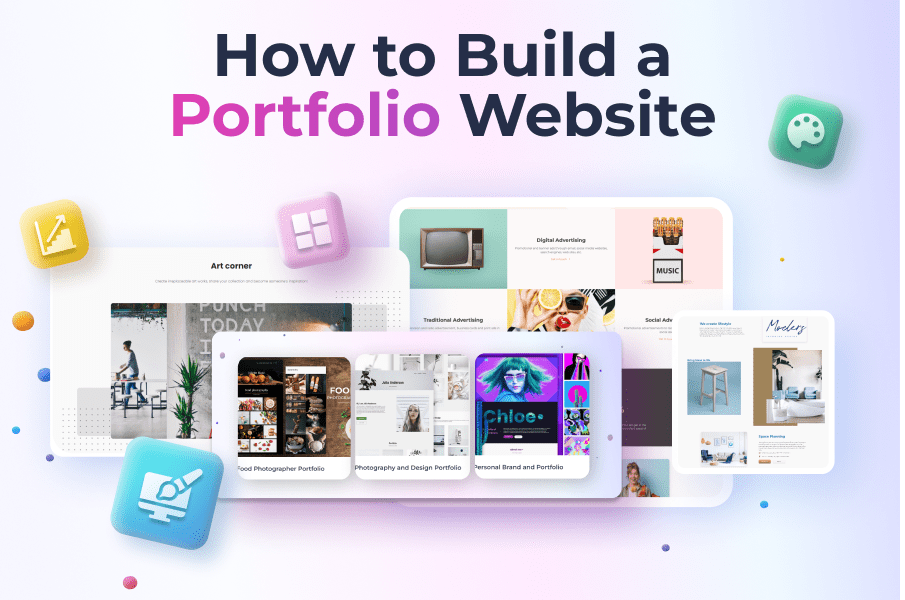
Ever since I dipped my toes into web development, I’ve always found building a portfolio website to be that perfect rite of passage—like crafting your own digital business card that screams, “Hey, world, here’s what I can do!” It’s not just about showing off your skills; it’s about owning your online presence from the ground up. Picture this: you’re sitting at your desk, coffee in hand, turning a blank screen into a showcase of your creativity. That’s the magic we’re diving into today, folks. So, if you’re ready to roll up your sleeves and build a portfolio website from scratch, let’s keep it chill and straightforward.
Building a portfolio website from scratch is all about taking control of your digital story with basic tools like HTML, CSS, and a dash of JavaScript. In about 40 hours, you can plan your layout, code the essentials, add interactive elements, and launch a site that highlights your work without relying on fancy templates. It’s empowering, fun, and a great way to learn web fundamentals while making something uniquely yours.
Before we jump into the nitty-gritty, let’s talk about why you’d even bother. In a world buzzing with online portfolios on platforms like Behance or LinkedIn, going the DIY route shows initiative and technical prowess. It’s like baking your own cake instead of buying one—sure, the pre-made ones are convenient, but there’s satisfaction in mixing the batter yourself. I once threw together a simple site for my photography gigs, and it landed me freelance work because employers saw the effort. That personal touch can set you apart, making your portfolio not just a resume, but a conversation starter.
Planning Your Digital Canvas
Alright, let’s ease into this. First things first, you need a plan—think of it as sketching before you paint. What do you want to showcase? Your projects, skills, or that killer about-me section? Jot down ideas on paper or in a note app. I like to start with a mood board, pulling in inspirations from sites like Dribbble or Awwwards. Key here: keep it user-friendly. Use tools like Figma or even pen and paper to wireframe your layout. Remember, web development tutorials often stress simplicity—aim for clean navigation, responsive design, and fast load times to keep visitors hooked.
Tips for improving website search rankingsNow, for the tech side, you’ll need some basics. No need for a full-blown setup; just a code editor like VS Code (it’s free and feels like chatting with your computer), a browser for testing, and maybe Git for version control—it’s like having a safety net for your code. Oh, and don’t forget about hosting; services like GitHub Pages or Netlify make deployment a breeze. This stage is where the fun begins, blending creativity with practicality, much like mixing colors for a mural.
Gearing Up and Getting Hands-On
Once your plan’s solid, it’s time to set up your environment. Install those tools I mentioned, and if you’re new, check out free resources on MDN Web Docs—they’re like the friendly guides of the web world. Start with HTML as your foundation; it’s straightforward, like building a house’s frame. Then layer on CSS for styling—think painting the walls and adding furniture. For a portfolio, you might not need JavaScript yet, but if you want interactive elements, like a project gallery that scrolls smoothly, it’s your secret weapon.
Let’s break this down into steps, keeping it relaxed and step-by-step. Here’s how to start building a portfolio website from scratch:
1Create your HTML structure. Open your code editor and make a basic file called index.html. Add the doctype, html, head, and body tags. Inside the body, drop in a header for your nav, a main section for projects, and a footer. It’s like outlining a story—simple and logical.
Understanding RESTful API integrations2Style it with CSS. Link a stylesheet in your HTML and start styling. Use classes and IDs to make elements pop—set fonts, colors, and layouts. For responsiveness, throw in media queries so your site looks great on mobile. Remember that meme about websites that break on phones? Yeah, avoid that nightmare.
3Add interactivity if you feel adventurous. With JavaScript, you could make a contact form submit via email or animate sections on scroll. Sites like CodePen are goldmines for snippets—borrow and tweak to fit your vibe. It’s all about making your portfolio feel alive, not static.
As you tinker, you’ll hit snags—that’s the beauty of learning. I once spent hours debugging a CSS issue, only to realize it was a missing semicolon. It’s those “aha” moments that stick, turning you into a bona fide web dev. And hey, if you’re into pop culture, think of your site as your own Stark Industries—showcasing your tech wizardry.
Sprucing It Up and Going Live
With the basics down, let’s amp things up. Add images of your projects, embed videos, or even integrate a blog for updates. A table can help compare options, like this quick one on frameworks:
Pros and cons of static site generators| Framework | Best For | Learning Curve |
|---|---|---|
| Vanilla HTML/CSS/JS | Simple portfolios | Easy, if you’re starting from scratch |
| React | Complex interactions | Moderate, with community support |
| Bootstrap | Quick, responsive designs | Beginner-friendly with templates |
This comparison shows why sticking to basics might be ideal for your first go—less overwhelm, more focus on your content. Once polished, deploy it. Push to GitHub, connect to a host, and boom, your site’s live. Test it on different devices; it’s like a final dress rehearsal before the big show.
FAQs on Web Tutorials
Q: How long does it take to build a basic portfolio? A: For beginners, about a weekend if you’re dedicated—focusing on essentials keeps it manageable without burning out.
Q: Do I need to know coding to start? A: Not deeply, but grasping HTML and CSS basics helps. There are plenty of free web development tutorials online to guide you step-by-step.
Q: What if my site doesn’t look professional? A: Practice makes perfect. Iterate based on feedback, and remember, even pros started somewhere—your unique style will shine through.
Customizing themes in popular CMSAs we wrap this up, imagine sharing your new site with friends and seeing their impressed nods. What’s next for you—maybe adding e-commerce or diving into APIs? Either way, you’ve got the skills to keep building. Cheers to your digital adventure; let’s see what masterpiece you create.