
Ever had that moment when you’re fumbling around a website, squinting at tiny text or wrestling with a keyboard because your mouse decided to act up? Yeah, me too—it’s like trying to dance in shoes that don’t fit. But here’s the thing: web accessibility isn’t just about fixing those annoyances; it’s the secret sauce that makes the internet a welcoming place for everyone. In this chill guide to the fundamentals of web accessibility standards, we’ll unpack what it all means without getting bogged down in jargon. Let’s ease into it like a cozy chat over coffee.
At its core, web accessibility standards are all about creating digital spaces that don’t leave anyone out. Imagine the web as a big, bustling city—cool, right? But if some folks can’t navigate the streets because of barriers like uneven sidewalks or missing ramps, it’s not much of a city at all. That’s exactly what accessibility addresses: ensuring people with disabilities can access, understand, and interact with websites just like anyone else. According to the World Wide Web Consortium (W3C), this isn’t optional fluff; it’s a fundamental principle for inclusive design. And here’s a quick truth bomb for you: over a billion people worldwide live with some form of disability, so getting this right isn’t just nice—it’s necessary for reaching a wider audience.
Why Bother with Web Accessibility Basics?
Okay, let’s get real for a second. You might be thinking, “I’m just building a simple site; do I really need to dive into this?” Absolutely, and not just for the feel-good vibes. Think about it: accessible websites often rank better in search engines because they’re structured logically and use clear language. Plus, it’s the law in many places—like the Americans with Disabilities Act (ADA) in the US. But beyond compliance, it’s about empathy. I remember redesigning a site for a client and realizing their forms were impossible for screen readers. We fixed it, and suddenly, users with visual impairments could engage without hassle. It’s those little wins that make the web feel less like a wild jungle and more like a friendly neighborhood park.
To hit the ground running, let’s spotlight the key web accessibility standards. The big kahuna here is the Web Content Accessibility Guidelines (WCAG), developed by the W3C. WCAG breaks things down into three levels of conformance: A, AA, and AAA, each ramping up the inclusivity. For instance, at Level A, you’re ensuring basic navigation, like keyboard access, while AA adds contrast ratios for better readability—think about that time you cursed at a site with light gray text on a white background. And AAA? That’s the gold standard, with features like sign language videos for multimedia content. It’s not about perfection overnight; start small and build up, like adding layers to a sandcastle.
Innovative ways to add animations to sitesBreaking Down the Essentials: Core Principles
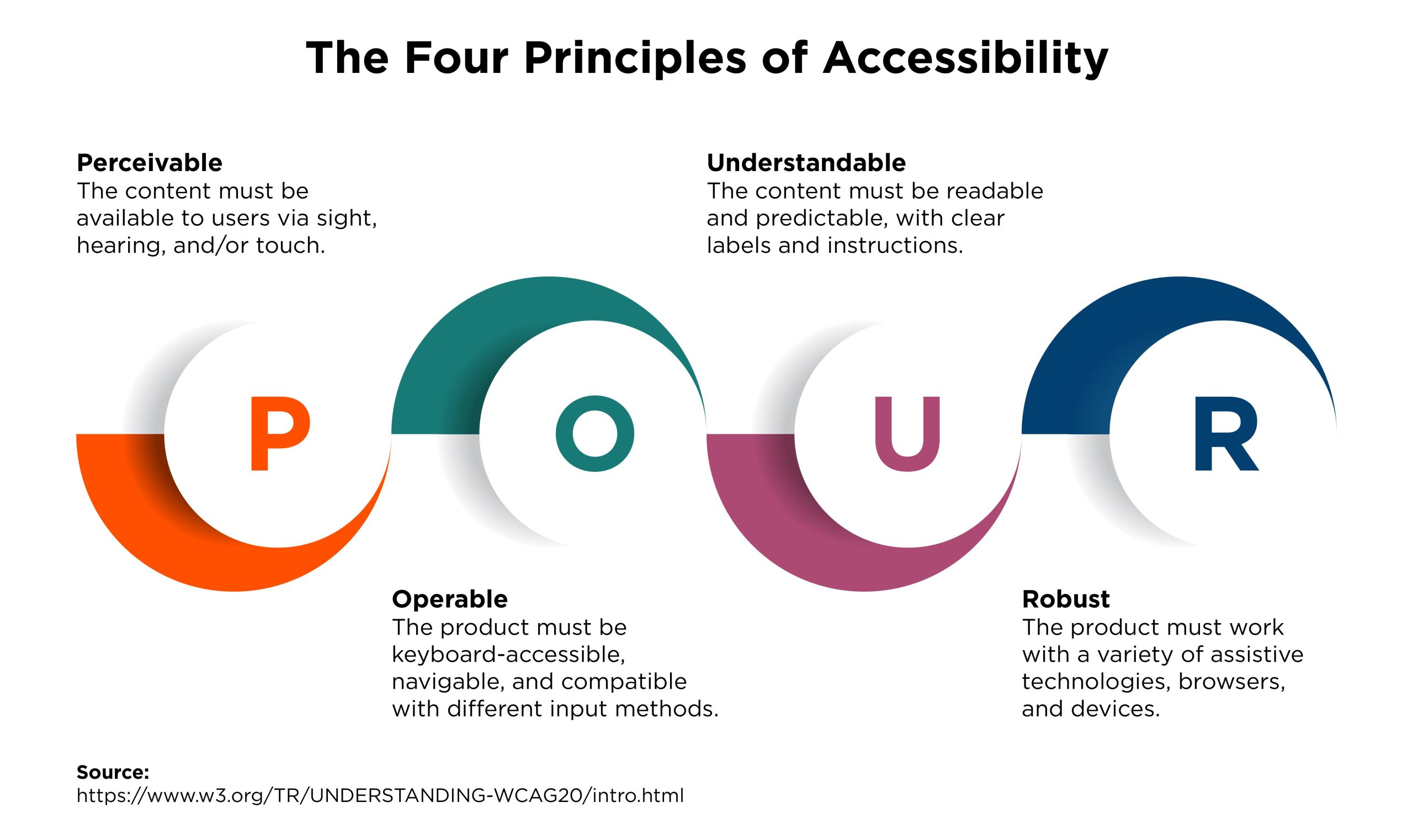
WCAG revolves around four main pillars—perceivable, operable, understandable, and robust. Let’s keep it light and break these down with everyday analogies. Perceivable means content should be available to the senses, so if you’re using images, add alt text descriptions. It’s like captioning a photo for a friend who can’t see it. Operable ensures everyone can interact, whether via mouse, keyboard, or voice commands—picture a door that opens with a button instead of just a handle.
Understandable is about clear language and consistent layouts, so users aren’t scratching their heads. And robust? That’s making sure your site works across different browsers and devices, like a reliable old car that starts every time. To make this tangible, here’s a quick table comparing WCAG levels, because who doesn’t love a good cheat sheet?
| WCAG Level | What It Covers | Real-Life Example |
|---|---|---|
| A (Basic) | Minimum requirements for accessibility | Adding alt text to images so screen readers can describe them |
| AA (Enhanced) | Addresses common barriers for broader inclusion | Ensuring color contrast is at least 4.5:1 for readability |
| AAA (Advanced) | High-level accessibility for specialized needs | Including audio descriptions for videos, like in a museum tour |
Now, if you’re itching to put this into practice, let’s walk through some straightforward steps. First off, 1Audit your site using tools like WAVE or Lighthouse in Chrome—they’re like digital detectives spotting issues. Then, 2Focus on semantic HTML; use headings properly so screen readers can navigate easily. Next, 3Test with real users, maybe from disability communities, to get honest feedback. It’s like beta-testing a video game—iron out the kinks before launch.
The Perks That Make It Worthwhile
Diving into fundamentals of web accessibility standards isn’t just about ticking boxes; it’s a gateway to better user experiences and business growth. Sites that prioritize accessibility often see higher engagement and loyalty. A fun fact: Netflix nailed this by adding subtitles and audio descriptions, making their content accessible worldwide and boosting their user base. It’s like hosting a party where everyone feels invited—no awkward exclusions. And on a personal level, it’s rewarding; I once helped a non-profit site become accessible, and the emails of thanks were pure gold. Who knew code could spark such feel-good moments?
Analyzing popular web design trendsRight in the mix of all this, let’s address the heart of the matter: What are the fundamentals of web accessibility standards? In about 50 words, it’s about four key guidelines from WCAG—making content perceivable, operable, understandable, and robust—to ensure digital equality. Start with basics like alt text and keyboard navigation, then scale up for a truly inclusive web experience that benefits everyone.
Wrapping Up with a Thought
As we wind down this laid-back tour, picture the web as an ever-evolving storybook, and accessibility as the thread that keeps it inclusive. What if your next project could change someone’s day just by being a bit more thoughtful? Dive in, experiment, and remember: in the world of web tutorials, every small step towards accessibility is a stride towards a kinder digital future. Oh, and if you’re curious, stick around for a few quick Q&A nuggets.
FAQ
Q1: What tools can I use to check web accessibility? Simple ones like the WAVE extension or Google’s Lighthouse are great starters—they scan your site and highlight issues without overwhelming you.
Q2: Is web accessibility expensive to implement? Not really; many fixes are just good coding practices, and early integration saves money down the line by avoiding redesigns.
Secure methods for handling user dataQ3: How does accessibility affect SEO? It boosts it! Search engines favor well-structured, user-friendly sites, so accessible content often ranks higher naturally.