
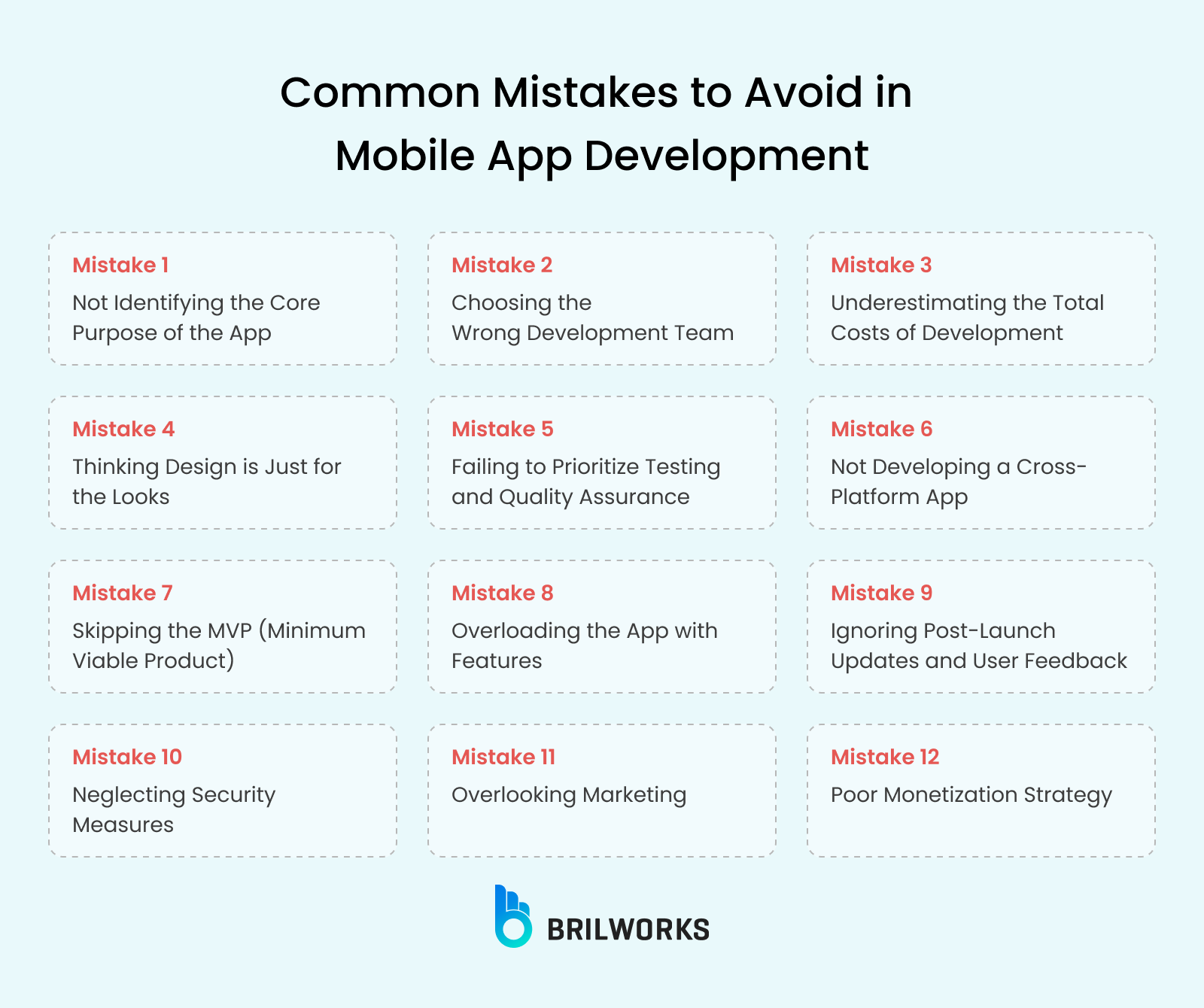
Ever tried building a mobile app only to watch it crash and burn midway? Yeah, me too—picture this: I once followed an online tutorial that promised a seamless app, but skipped over the basics like user flow, and ended up with something that felt more like a digital maze than a helpful tool. It’s those sneaky pitfalls in mobile app development that can turn excitement into frustration, especially when you’re knee-deep in code from some internet guide. Today, we’re diving into the common traps waiting in the shadows of app creation, all while keeping things light and real, because nobody wants another tech headache.
Pitfalls in mobile app development processes often stem from overlooking the human element in tech tutorials found online. From my own blunders, I’ve learned that rushing through steps or ignoring platform specifics can derail even the best ideas. To sidestep these, focus on iterative testing and user-centric design early on. In essence, the key is blending creativity with caution to craft apps that actually stick around—avoiding the classic errors that plague many developers new to the game.
Why Planning Feels Like Walking a Tightrope
Let’s kick things off with the foundation: planning. You know, that phase where everything sounds genius on paper but falls apart in practice? I remember scrolling through endless internet tutorials, excited to start coding, only to realize I hadn’t mapped out the app’s core features properly. It’s like baking a cake without a recipe—sure, you might end up with something edible, but it’s probably not what you envisioned. Common pitfalls here include underestimating time or ignoring market research, which can lead to apps that don’t solve real problems. Think about it: if your app doesn’t address a genuine need, it’s just another forgotten download in the app store sea.
One sneaky issue is scope creep, where features balloon out of control. According to various online dev communities, this happens when you don’t set clear boundaries from the start. To keep it real, always jot down a simple priority list—maybe even borrow from those step-by-step YouTube guides that break it down visually. And hey, if you’re feeling bold, throw in a quick user survey via social media to gauge interest. That way, you’re not just following a tutorial blindly; you’re making it your own.
Evaluating leading antivirus software optionsThe Code Jungle: Where Bugs Lurk and Laugh
Now, diving into the actual development, that’s where things get messy—like wandering into a jungle without a map. Tutorials on platforms like Udemy or freeCodeCamp often gloss over the importance of clean code and compatibility. I once spent hours on a feature that worked perfectly on my phone but crashed on tablets, all because I didn’t account for device fragmentation. Key pitfalls in mobile app development include sloppy error handling and poor performance optimization, turning what should be a smooth experience into a laggy nightmare.
To avoid this, incorporate regular code reviews or pair up with a buddy for feedback, just like in those collaborative open-source projects online. Imagine debugging as a game of whack-a-mole; you hit one bug, and another pops up, but with tools like GitHub’s issue trackers, you can stay one step ahead. Plus, weaving in metaphors from pop culture—think of your app as a superhero that needs the right gadgets to fight villains—makes the process less daunting and more engaging.
| Pitfall | How to Avoid It |
|---|---|
| Poor planning and scope creep | Start with a detailed outline and use agile methodologies from online resources to keep things flexible yet focused. |
| Inadequate testing | Run tests on multiple devices early, drawing from tutorial best practices to catch issues before they escalate. |
| Ignoring user feedback | Integrate beta testing phases, inspired by app review forums, to refine based on real user input. |
Spotting the Sneaky Testing Traps
Testing might sound boring, but skip it, and you’re basically inviting disaster to the party. In the world of internet tutorials, it’s easy to gloss over this step, leading to apps that work in theory but not in the wild. A classic pitfall is relying solely on emulators without real-device testing, which can miss quirks like battery drain or network issues. From my experiences, treating testing as a creative exploration—almost like debugging a mystery novel—makes it way more fun and effective.
1Begin with unit tests for individual components, ensuring each part functions as intended before moving on.
Creative methods for building an email list2Expand to integration testing, checking how different features interact, much like piecing together a puzzle from an online guide.
3Finally, gather user feedback through apps like TestFlight, turning potential pitfalls into polished successes.
Post-Launch Blues and How to Shake Them Off
Even after launch, the pitfalls don’t stop—they just evolve. Tutorials often end at deployment, leaving you hanging when updates or maintenance come knocking. It’s like finishing a marathon only to realize you forgot to stretch; suddenly, bugs from user reports pile up. To counter this, build in analytics from day one, so you’re not flying blind. Referencing viral meme culture, think of your app as that persistent character in a TV show—always evolving to stay relevant.
As we wrap up this laid-back tour, remember that every pitfall is just a lesson in disguise, turning your app dev journey into a story worth sharing. What’s your next move in conquering these challenges?
Perks of installing effective ad blockersFAQ
What are the most common pitfalls in mobile app development? The big ones include poor planning, inadequate testing, and ignoring user feedback, which can lead to apps that underperform or fail entirely. Staying vigilant with online tutorials helps mitigate these.
How can beginners avoid these pitfalls? Start by following structured internet guides that emphasize best practices, like iterative development and real-world testing, to build a solid foundation from the get-go.
Is it worth investing in professional tools to avoid pitfalls? Absolutely, tools like automated testing software can save time and headaches, making the process smoother as you learn from free online resources.
Remedies for typical slow internet speeds