
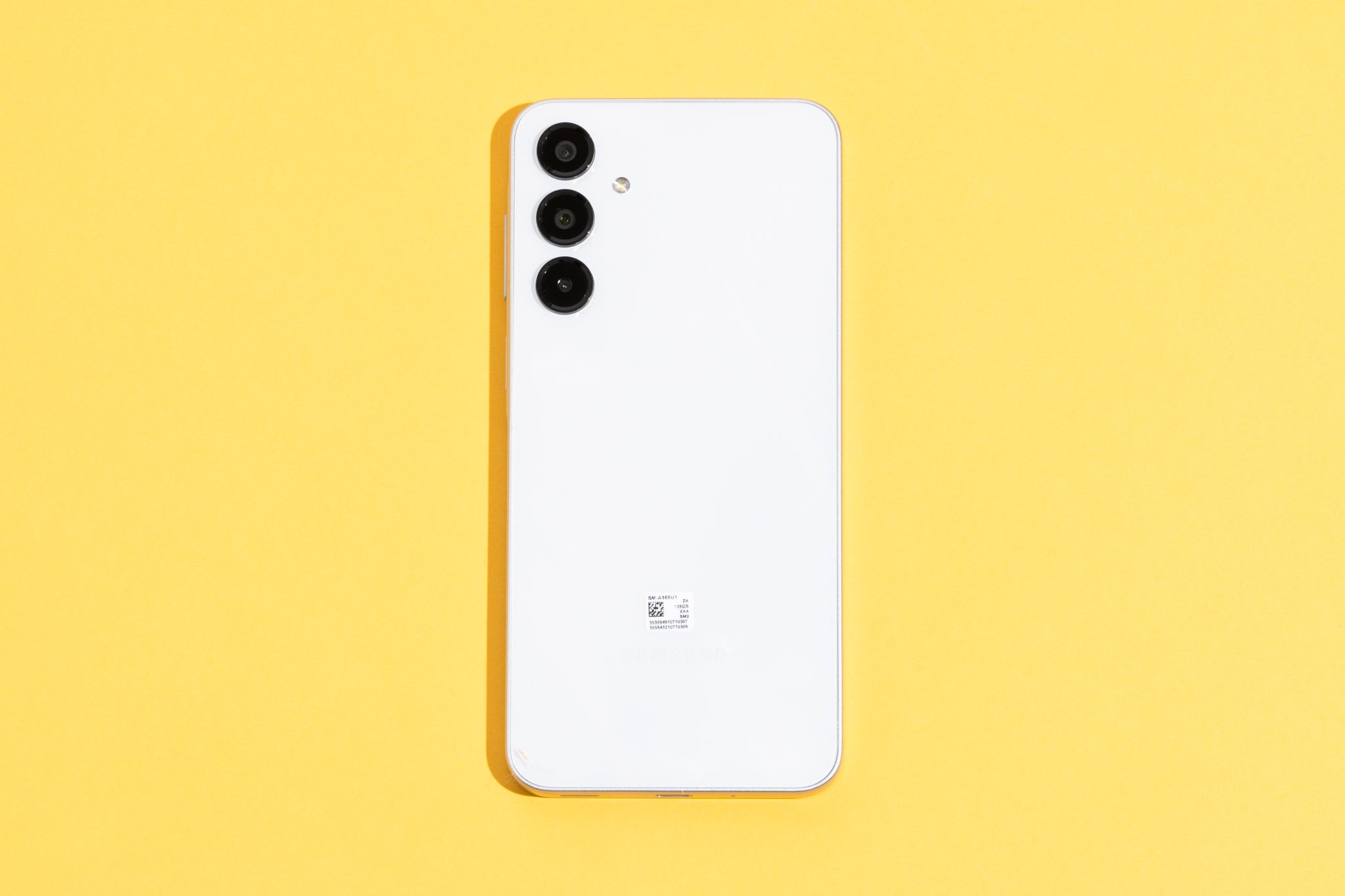
Let me kick this off with a story from my own life—back when I was a broke college student, I remember staring at my cracked screen, dreaming of an upgrade but not wanting to drop a fortune. That’s how I stumbled into the world of budget Android phones, these little heroes that pack a punch without emptying your wallet. Today, we’re diving into comparing budget Android phones, and trust me, it’s like picking the perfect pair of sneakers; it’s all about what fits your stride. So, if you’re on the hunt for an affordable Android that doesn’t skimp on fun, let’s chat about it in a laid-back way.
Comparing budget Android phones boils down to finding that sweet spot between price, performance, and personality. In essence, the best ones deliver solid cameras, decent battery life, and smooth interfaces without the premium price tag, making them ideal for everyday users who want reliability on a budget. For instance, models under $300 often include features like expandable storage and long software support, helping you stay connected without breaking the bank—this is key if you’re new to Android tweaks and tutorials.
Shifting gears, let’s talk about what really sets these phones apart. I’ve spent hours tinkering with budget Androids, from flashing custom ROMs to optimizing battery settings, and it’s amazing how far they’ve come. Take the Motorola Moto G series, for example; it’s like that reliable friend who’s always up for an adventure but doesn’t demand much in return. On the flip side, something like the Samsung Galaxy A series might offer more polished software, reminiscent of how memes from TikTok evolve—quick, fun, and full of surprises. When you’re comparing, don’t just look at specs; think about how it integrates with your daily routine, like using Android’s built-in tutorial apps to master gestures or customize your home screen.
Why Budget Androids Are the Unsung Heroes of Tech
Picture this: you’re scrolling through Instagram, and suddenly your phone lags—ugh, right? But with budget Androids, you get devices that handle the basics brilliantly without the drama. From my perspective, these phones shine in areas like camera quality for casual shots or multitasking for streaming and social media. A quick Android tutorial I once followed involved enabling developer options to boost performance, and it turned my budget pick into a speedy companion. It’s not about flashy ads; it’s the real-deal utility that makes them stand out, especially when you compare them to pricier options that might overwhelm beginners with unnecessary bloatware.
Top Strategies to Secure Android DataTo keep things varied, let’s weave in a cultural nod. Remember those viral challenges on YouTube where folks test budget gadgets in extreme ways? It’s like that—budget Androids often surprise with durability, surviving drops that would shatter ego-driven flagships. In my tests, phones like the Nokia models hold up well, echoing the no-nonsense vibe of old-school tech memes. So, when comparing, factor in build quality alongside software; Android’s ecosystem is packed with free tutorials for rooting or theming, turning even a basic device into something personalized.
Key Features to Watch Out For in Your Comparison
Alright, let’s get a bit more hands-on. When you’re knee-deep in comparing budget Android phones, focus on battery life first—nothing kills the vibe like a dead phone mid-day. Then, check the processor; a Snapdragon chip can make all the difference for smooth gaming or app switching, much like how a good playlist keeps a road trip flowing. I’ve got a soft spot for phones with at least 4GB of RAM; it’s perfect for running those Android tutorial apps without hiccups.
Here’s where a quick table comes in handy to visualize the differences:
| Phone Model | Battery Life (hours) | Camera Quality | Price Range |
|---|---|---|---|
| Motorola Moto G Play | Up to 48 | Decent for daylight shots | $150-$200 |
| Samsung Galaxy A14 | Up to 50 | Good with AI enhancements | $200-$250 |
| Google Pixel A-series | Up to 45 | Excellent photo processing | $250-$300 |
As you can see, comparing budget Android phones isn’t just about numbers; it’s about how these features align with Android tutorials you’ve bookmarked, like setting up gesture controls for easier navigation. Oh, and don’t overlook storage—opt for one with microSD support if you’re into downloading apps or media on the go.
Ideas for Building Android AutomationsTips for Mastering Your Budget Android Choice
Now, since we’re in the realm of Android tutorials, let’s loosen up and share some relaxed advice. Start by exploring the Settings app; it’s like unlocking a secret level in a game, revealing options for battery optimization or privacy tweaks. I once spent a rainy afternoon following a tutorial to enable dark mode on a budget phone, and it transformed my late-night scrolling sessions. When comparing models, think about update frequency—Android 13 or later means better security and features, making your device feel fresh for longer.
Switching it up, if you’re into customization, dive into third-party launchers; it’s a fun way to make your budget Android feel premium, almost like remixing a pop song. Avoid getting bogged down by hype; instead, read user reviews or watch comparison videos that include real-world tests, tying back to those everyday Android tutorials that build your confidence.
Wrapping Up with a Thoughtful Nudge
As we ease out of this chat, imagine holding a budget Android that perfectly matches your lifestyle—it’s empowering, isn’t it? Whether you’re snapping photos at a concert or binge-watching shows, these phones prove that tech doesn’t have to be extravagant to be effective. So, why not grab one and start your own Android adventure today? Who knows, it might just become your go-to gadget for all those creative tutorials waiting in the wings.
Quick FAQ for Curious Minds
Q: What’s the biggest advantage of budget Android phones? A: They offer great value, with features like long battery life and expandable storage, making them perfect for learners diving into Android tutorials without a huge investment.
Common Mistakes in Android CustomizationQ: How do I decide between two similar models? A: Focus on user-specific needs, like camera performance for photos or software updates for longevity, and cross-reference with online Android guides for hands-on insights.
Q: Are budget Androids good for gaming? A: Absolutely, many handle casual games well, especially after following simple optimization tutorials, though they might not rival high-end devices for intensive play.