
Picture this: I’m sitting at my desk, coffee in hand, trying to log into an old account I haven’t touched in years. My password? Something like “password123” – yeah, I know, rookie move. It got me in, but then I got that nagging feeling, like I’d just invited hackers to a free buffet. We’ve all been there, right? In the wild world of online tutorials and internet tips, managing passwords might sound as thrilling as watching paint dry, but trust me, it’s the unsung hero of your digital life. Today, we’re diving into the common mistakes in online password management, keeping things light and breezy, like a casual chat over virtual coffee.
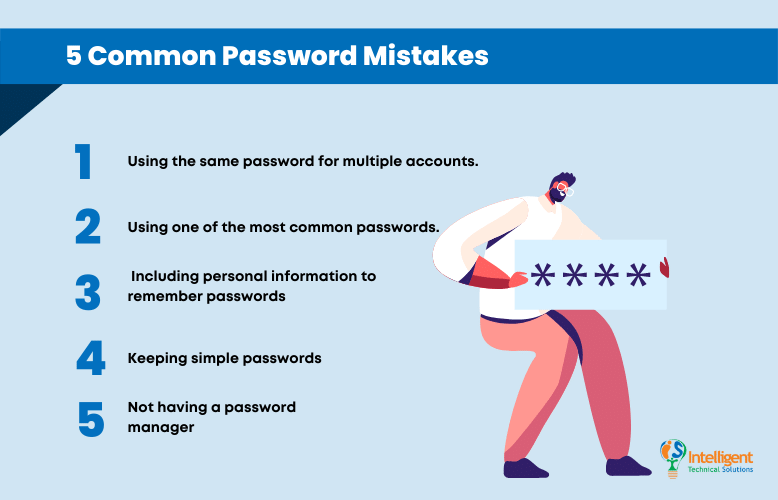
So, what’s the big deal with password slip-ups? Well, if you’re wondering about the common mistakes that could turn your online world upside down, let’s cut to the chase: folks often reuse the same password everywhere, pick ones that’s way too simple, or ignore updates altogether. This can lead to easy breaches, where one hack cascades into many. In about 50 words, the key is to mix it up with strong, unique passwords per site and use tools like managers to track them – it’ll save you from the headache of resets and keep your data safe without the stress.
Let’s kick off with the blunders that sneak up on us. I remember back in the early days of social media, I used “LetMeIn99” for everything – email, banking, you name it. It felt convenient, but oh boy, was that a setup for disaster. Hackers love when we get lazy like that. Reusing passwords across sites is like using the same key for your house, car, and office; if one gets stolen, you’re wide open. According to a recent study I stumbled upon while browsing cybersecurity tutorials, over 60% of people admit to this habit. It’s not just about being careless; it’s often from sheer overwhelm in our connected lives. But hey, with a little awareness, we can flip the script.
The Sneaky Ways We Undermine Our Own Security
Ever noticed how we gravitate towards passwords that are basically open books? Things like birthdays, pet names, or “admin” – they’re easy to remember but even easier to crack. Tools like password crackers can guess these in seconds flat. It’s like leaving your front door unlocked because you don’t want to fumble with keys. In the realm of internet tutorials, I’ve seen folks swear by adding numbers or symbols, but without real randomness, it’s still a weak link. Mix in some pop culture flair – think of it as creating a meme-worthy code, like blending your favorite band with a random word, but keep it unpredictable.
Comparing top web browsers for speedAnother slip-up? Storing passwords in plain sight, like in a sticky note on your desk or, worse, in an unencrypted file on your computer. I once heard a story from a friend in the tech world about a colleague who kept all his logins in a Word doc titled “Passwords.” Yikes! It’s tempting in our fast-paced online routines, but it’s basically handing over the keys to intruders. Instead, imagine treating your passwords like secret recipes – locked away in a vault, not scribbled on a napkin.
Why We Fall Into These Digital Traps
Life’s busy, and who has time to juggle a dozen different logins? That’s the root of it – human nature meets digital demands. We’re drawn to simplicity because, let’s face it, remembering complex strings feels like cramming for an exam every login. From my own escapades in online learning hubs, I see how tutorials often gloss over the emotional side, like the frustration of forgotten passwords leading to account locks. It’s not just tech; it’s psychology. We reuse because it’s comfortable, like slipping into your favorite worn-out sneakers, even if they’re falling apart.
But here’s a cultural twist: in places like social media-savvy communities, where memes about “password123” go viral, we kinda laugh it off. Yet, that casual attitude can bite back. Think about how Netflix series dramatize hacks – it’s entertaining, but it underscores real risks. To shake things up, why not adopt a habit from digital nomads? They often use password phrases inspired by personal stories, turning security into something fun and narrative-driven.
Easy Tweaks to Fortify Your Online Fortress
Alright, enough doom and gloom – let’s get practical. First off, 1Start with a password manager app; it’s like having a trusty sidekick that remembers everything for you, so you don’t have to. Tools like LastPass or Bitwarden are user-friendly and encrypt your data – no more brain strain.
Ideas for creating effective email campaigns2Go for complexity: Aim for at least 12 characters, mixing uppercase, lowercase, numbers, and symbols. Make it a game – turn it into a quirky sentence only you get, like “BlueSkyJumper789!”.
3Enable two-factor authentication wherever possible; it’s that extra knock before entering your digital home, adding a layer that thwarts most intruders.
To put this in perspective, here’s a quick table comparing basic password strategies:
| Strategy | Pros | Cons |
|---|---|---|
| Simple Passwords | Easy to remember | Vulnerable to attacks |
| Password Managers | Secure and convenient | Requires initial setup |
| Two-Factor Auth | Extra security layer | Can be annoying if forgotten |
This isn’t just tech talk; it’s about reclaiming control in our everyday online adventures.
Benefits of using a reliable VPN serviceA Final Thought on Staying Sharp Online
As we wrap up this laid-back tour of password pitfalls, let’s not leave you hanging. What if, instead of dreading password changes, you saw them as a chance to reinvent your digital self? Imagine crafting passwords that tell a story of your evolving interests – it’s empowering, isn’t it? Dive deeper into internet tutorials, experiment with new tools, and keep that curiosity alive; your online world will thank you with fewer surprises.
FAQ
What is the biggest mistake people make with passwords? The top error is reusing the same password across multiple sites, making it easy for hackers to access everything if one account is compromised. Use unique ones to minimize risks.
How often should I change my passwords? Aim to update them every 3-6 months, or immediately if you suspect a breach. Regular changes, combined with strong practices, keep your accounts safer without overwhelming you.
Are password managers really secure? Yes, reputable ones use encryption and have features like zero-knowledge storage, meaning even the provider can’t see your passwords. They’re a smart choice for modern internet navigation.
Debunking myths about cloud storage options